
Stop clicking through 200 UDT instances.
Bulk-edit TIA Portal Data Blocks in seconds — with search, autocomplete, and validation rules built in.
Try Free Buy Pro — 50 €/yr
Bulk-edit TIA Portal Data Blocks in seconds — with search, autocomplete, and validation rules built in.
Try Free Buy Pro — 50 €/yrThe full workflow in motion: search the member tree, inline-edit with tag-table autocomplete, bulk-apply a new value across a scope of your choice, then review the pending queue and apply — or undo a single entry before it touches the DB.
Recorded against a real TIA project fixture — no speed-ups, no cuts inside the dialog. Tip: click the full-screen button in the video controls for best readability.
BlockParam combines bulk editing, validation, and team-wide rule sharing into a single right-click action — with zero setup required for the basics.
Pick a member, pick a scope (parent, grandparent, DB root), apply. The same change lands on every matching UDT instance at once — the dialog auto-detects your DB hierarchy.
Type and pick from your own TIA tag tables — values and comments included. Wildcards like MOD_* pull from every matching table, so a renamed tag doesn’t silently break the lookup.
Define data types, numeric ranges, allowed-value lists, and required fields — per member-path pattern. Out-of-range entries are rejected at the dialog, not three steps later at compile.
Rules live in three layers: project (travels with the TIA project), local (per user), and shared network drive. Local edits override the shared base — no merge conflicts.
Generate structured member comments from templates with placeholders like {db}, {parent}, {self}, or values from sibling members. One click, entire scope updated.
Every bulk operation can be staged as "pending" (yellow highlight) and reviewed in a side-by-side diff before apply. If something goes wrong mid-apply, one click rolls back the entire DB.
Type to filter the member tree instantly — hit count and highlights guide you. The “setpoints only” filter hides internal members so big DBs stay readable.
Complete translations for both languages, localization architecture ready for more. All dialogs, tooltips, and error messages follow your TIA Portal language.
Define validation rules inline as TIA Data Block comments — ranges, types, allowed values. The rule travels with the project, no separate config to ship.
Scale every BlockParam dialog up or down with Ctrl + Scroll or Ctrl +/-. Useful on 4K displays where TIA renders tiny, or simply for visual comfort.
Bulk operations on ~1500-variable DBs complete in seconds. The Openness round-trip is batched, not per-member — so scope doesn’t slow you down.
Colour-coded rows tell you what’s going on without reading: yellow search hits, orange pending edits, green already-matching, blue affected by the current bulk op, red invalid input, and purple for pre-existing TIA values that violate your rules.
From a single right-click, BlockParam handles the three jobs TIA can’t: bulk edits at scale, inline edits with autocomplete, and rule-based validation that stays with your project.
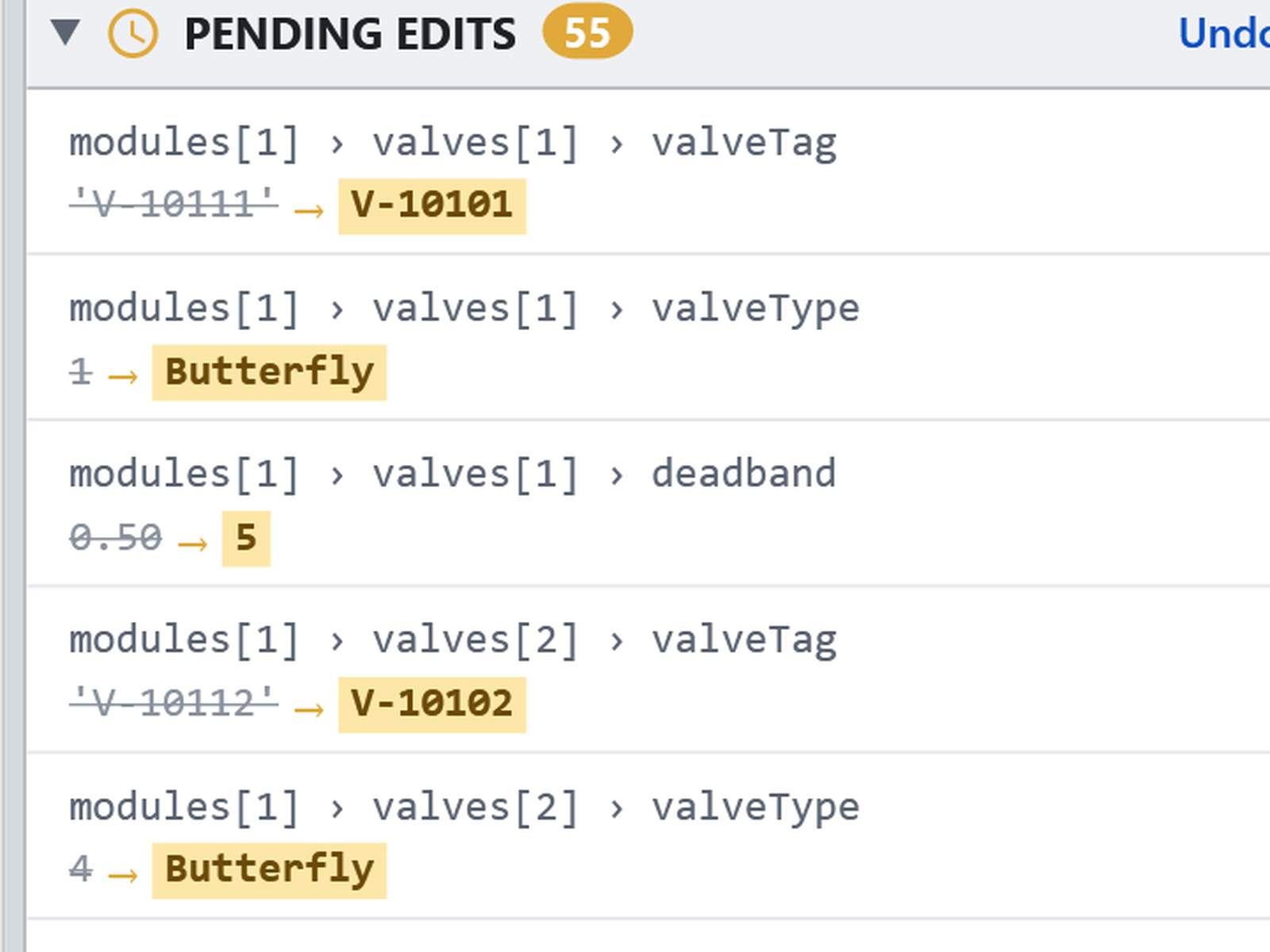
Pick a member, pick a scope, set a value — one action lands on every matching UDT instance, with a yellow preview before you commit.
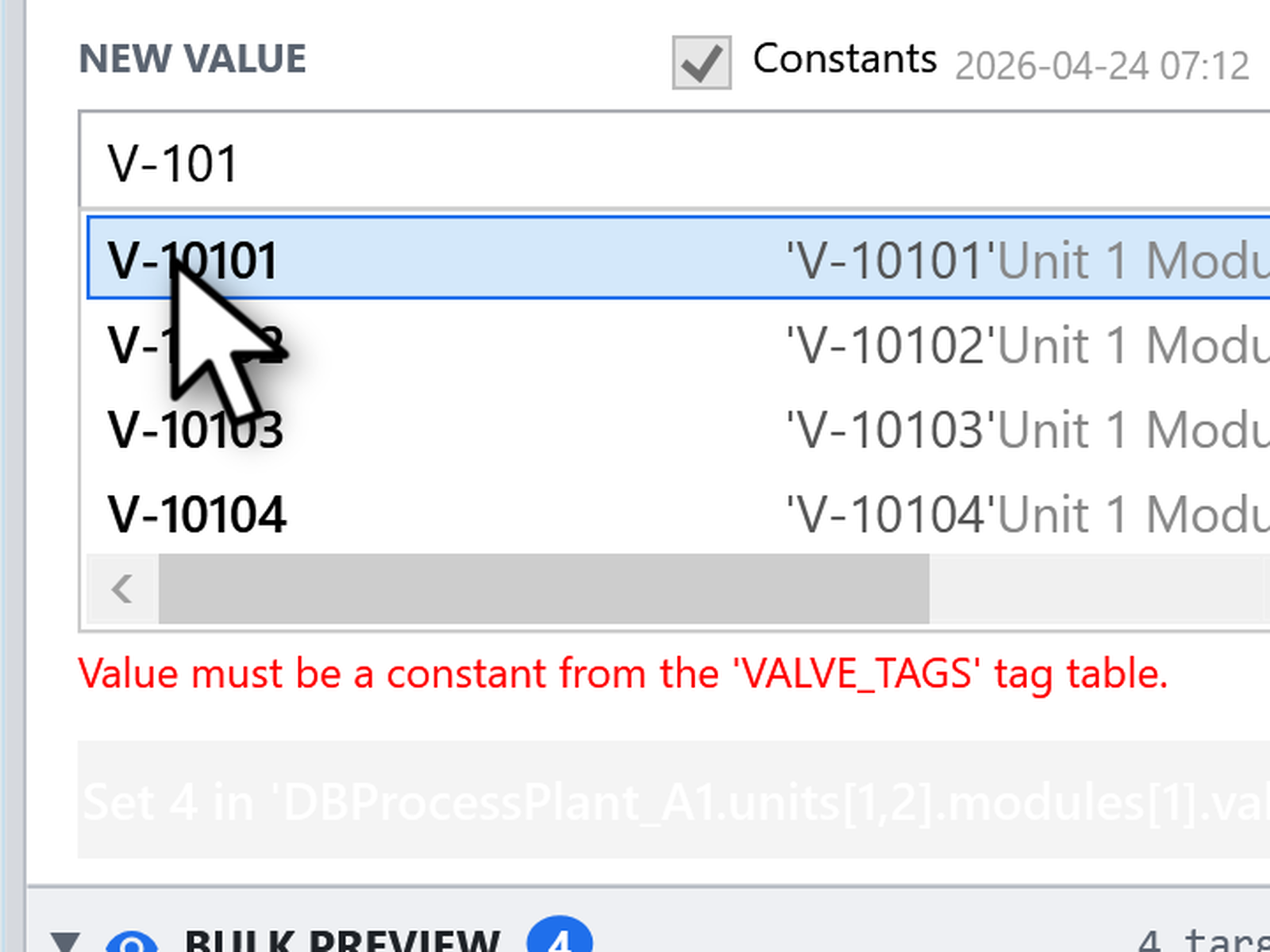
Type and pick from your own TIA tag tables — values and comments included. Wildcards still match when tags get renamed.
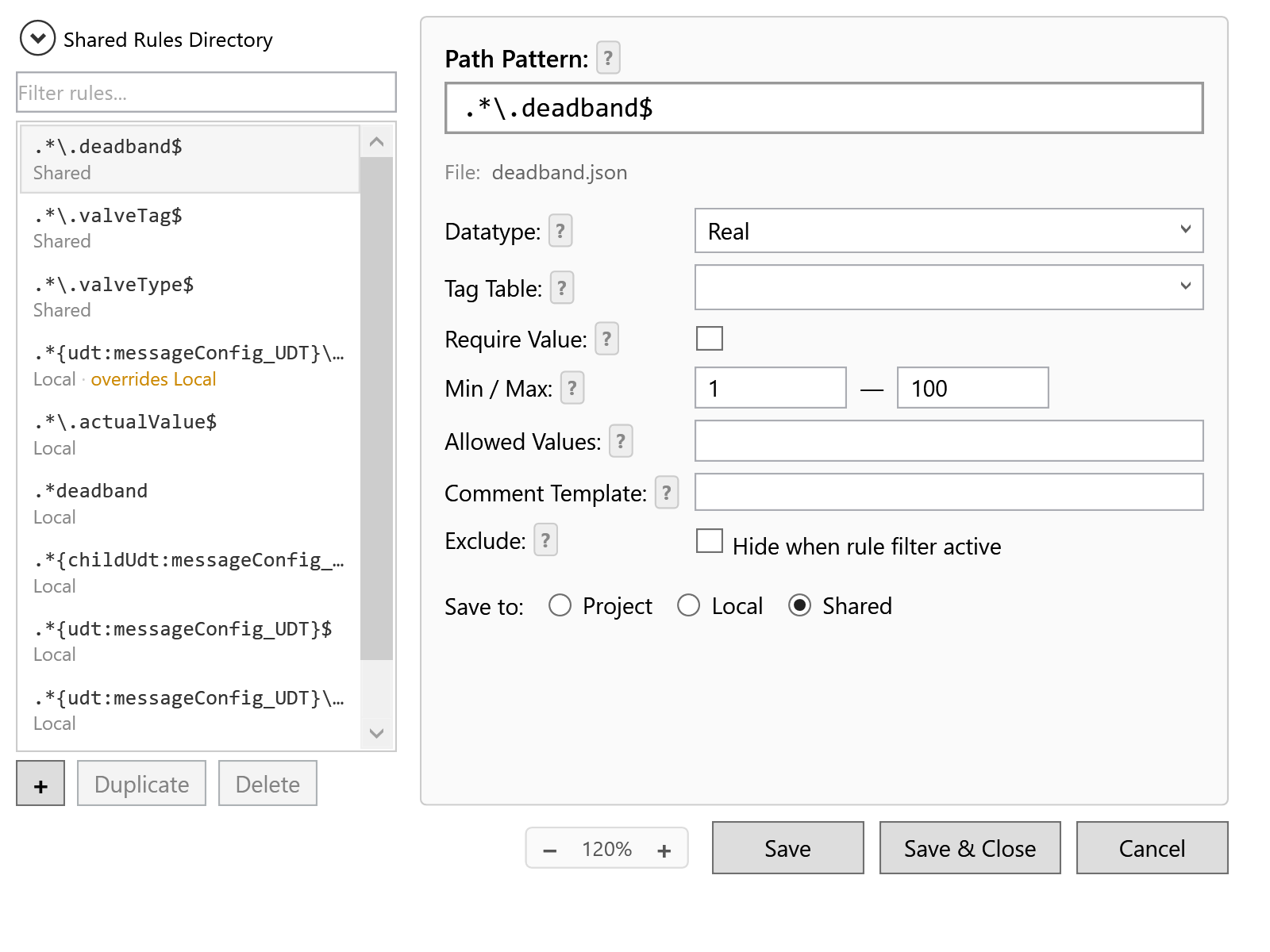
Define data types, ranges, and allowed-value lists per member-path pattern. Rules live in three layers (project / local / shared) so the team stays in sync. Or define them inline via DB comments — they travel with the project.
You are pointing a bulk-edit tool at a production project. Here is exactly what it touches.
BlockParam reads and writes Data Blocks through the official TIA Openness API, locally, in your running TIA Portal session. No project, no DB, no tag table and no variable value is ever uploaded anywhere.
Free needs no registration and no account, and contacts no server at all. The daily counter lives on your own machine.
A Pro install contacts our licence server only to verify the subscription and count concurrent seats. It sends the licence key, a random installation ID and the machine name that tells your seats apart — never anything from your project. If the server is unreachable, Pro keeps working for 48 hours. Details in the privacy policy.
The add-in is developed in the open on GitHub and the Free tier is MIT-licensed — so nothing about what it does to your project has to be taken on trust. Read the code.
Every change is staged as a yellow preview first. Nothing is written to your DB until you press Apply.
Full feature set. One daily cap.
Less than one billable hour. Pays for itself on the first bulk edit.
TIA Portal V20 and V21, both local and cloud editions.
BlockParam talks to TIA via the official Openness API, so minor updates don’t break compatibility. Major version jumps may need a new BlockParam release — included in your Pro license at no extra cost.
The add-in keeps working — it falls back to the Free tier (200 value changes per day). Your rules and tag-table integrations stay configured.
Same features, one daily cap. Free covers 200 value changes a day — enough for occasional users. Pro removes the cap and is for engineers running bulk edits as part of their daily workflow.
LemonSqueezy offers a 14-day money-back guarantee on all purchases. Contact support and we’ll process it.
Pro users get priority email response within one business day. Bug reports and feature requests go through GitHub Issues for both tiers.
Still stuck? The user guide covers everything in depth — getting started, the rule editor, bulk workflows and troubleshooting.
Need help? We're here for you.
Install the Free tier in under a minute — no registration, 200 value changes a day, every feature included.
Download Free Buy Pro — 50 €/yr